Memory Module
Dell™ Latitude™ D610 Service Manual

|
CAUTION: Before you begin any of the procedures in this section, follow the safety instructions in the Product Information Guide. |
|
|
CAUTION: To prevent static damage to components inside your computer, discharge static electricity from your body before you touch any of your computer's electronic components. You can do so by touching an unpainted metal surface. |

|
NOTE: You can only use DDR2 memory modules in your computer. |
|
|
NOTE: Memory modules purchased from Dell are covered under your computer warranty. |
Your computer has two user-accessible SODIMM sockets, one accessed from beneath the keyboard (DIMM A), and the other accessed from the bottom of the computer (DIMM B).
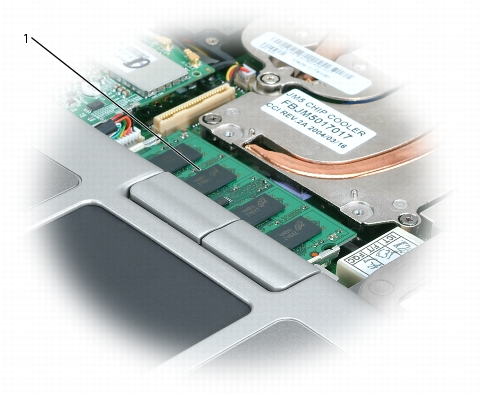
1 memory module (DIMM A)

|
NOTICE: To prevent damage to the memory module connector, do not use tools to spread the inner metal tabs that secure the memory module. |
|
|
NOTICE: Handle memory modules by their edges, and do not touch the components on a module. |
|
|
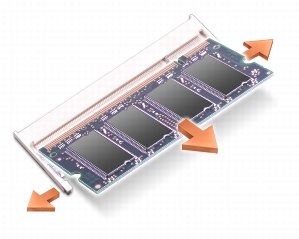
NOTE: If you are replacing a memory module, remove the existing module. |
|
|
NOTICE: If you need to install memory modules in two connectors, install a memory module in the connector labeled "DIMM B" before you install a module in the connector labeled "DIMM A." |
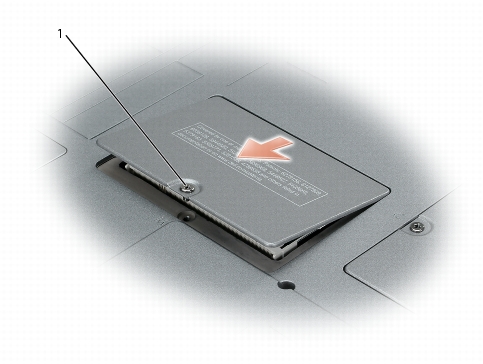
1 captive screw
|
|
NOTICE: To prevent damage to the memory module connector, do not use tools to spread the inner metal tabs that secure the memory module. |
|
|
NOTICE: Handle memory modules by their edges, and do not touch the components on a module. |
|
|
NOTE: If you are replacing a memory module, remove the existing module. |
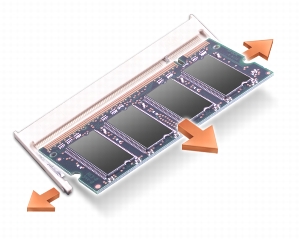
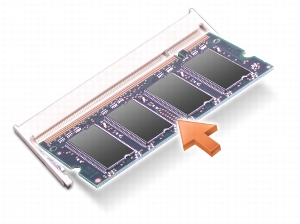
|
|
NOTE: If the memory module is not installed properly, the computer does not boot. No error message indicates this failure. |
|
|
NOTICE: If the memory module cover is difficult to close, remove the module and reinstall it. Forcing the cover to close may damage your computer. |
As the computer boots, it detects the additional memory and automatically updates the system configuration information.
|
|
CAUTION: Before you begin any of the procedures in this section, follow the safety instructions in the Product Information Guide. |
|
|
CAUTION: To prevent static damage to components inside your computer, discharge static electricity from your body before you touch any of your computer's electronic components. You can do so by touching an unpainted metal surface. |
|
|
NOTICE: Handle components and cards by their edges, and avoid touching pins and contacts. |
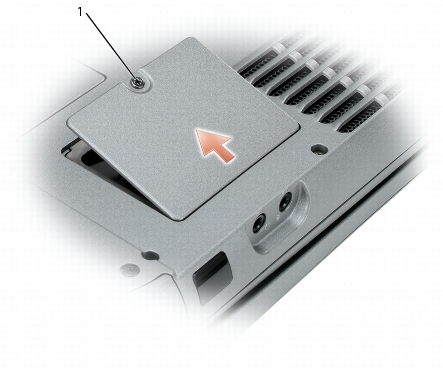
1 captive screw
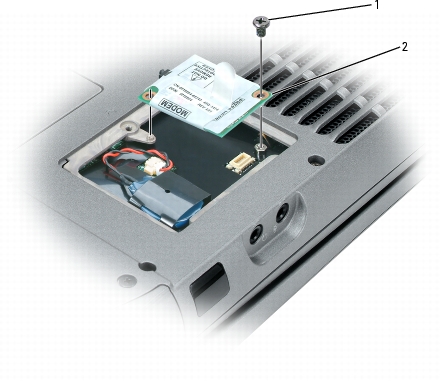
|
1 |
M2 x 3-mm screw |
|
2 |
modem |
|
|
NOTICE: Do not disconnect the modem cable from the system board. |
|
|
NOTICE: Ensure that the modem cable is routed correctly when you replace the modem. |
|
|
NOTICE: Do not press down on the left side of the modem while installing it. |
Your computer ships with an optical drive installed in the module bay. However, the device security screw is not installed in the optical drive but packaged separately. When you install your device in the module bay, you can install the device security screw.
|
|
NOTICE: Insert devices into the module bay before you dock and turn on the computer. |
|
|
NOTE: You do not need to install the device security screw unless you want to secure the module inside the computer for security purposes. |
|
|
NOTICE: To prevent damage to devices, place them in a safe, dry place when they are not installed in the computer. Avoid pressing down on them or placing heavy objects on top of them. |
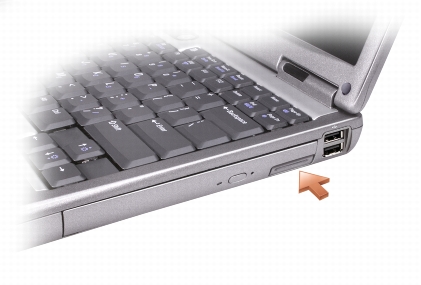
|
1 |
device latch release |
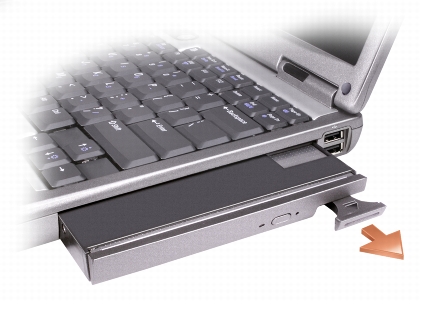
|
|
NOTICE: To prevent damage to devices, place them in a safe, dry place when they are not installed in the computer. Avoid pressing down on them or placing heavy objects on top of them. |
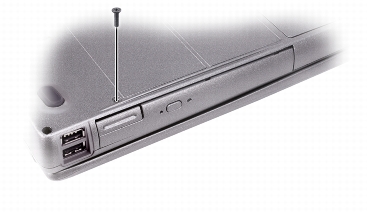
|
1 |
M2 x 3-mm screw |