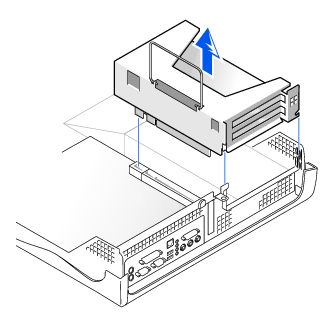
Examine any cables connected to expansion cards through the back-
panel openings, and disconnect any cables that will not extend to
where the cage must be placed when it is removed from the computer.
Remove any cables connected to the expansion card.
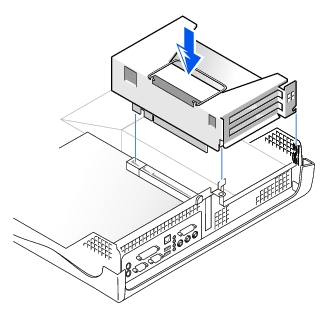
Gently pull on the handle and lift the expansion-card cage up and
away from the computer.
NOTICE: To avoid damage to the expansion cards or the system board by
ESD, ground yourself by touching an unpainted metal surface on the back of
the computer.